

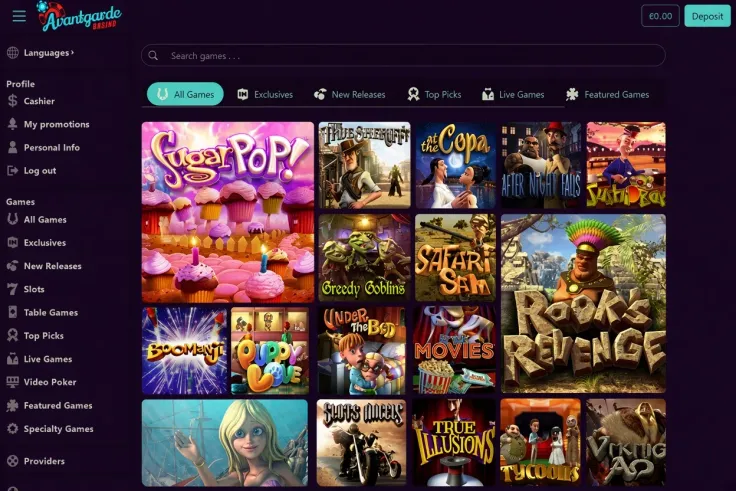
The Avantgarde Casino login happens on the casino's own website, with the email or username and the password you chose when you registered. This page has no login form: it explains what happens when you sign in and what to do when it does not work. The steps above cover the sign-in itself, and the table shows the devices you can use and the support hours.
Before you start, have your login details at hand and make sure you can open the inbox of the email address on your account, in case you need to reset your password. If you have not opened an account yet, start with the guide on how to sign up at Avantgarde Casino and come back once registration is done.
It also helps to keep your identity documents nearby. Avantgarde Casino requires an account check, and it is much easier to deal with when the files are ready on your phone or computer rather than scattered across old emails and folders.
What happens when you sign in

Signing in is a simple match: the website checks that the email or username and the password you enter belong to the same account. Passwords are usually case-sensitive, so a stray capital letter or an extra space copied from a note is enough to fail. If you registered with an email address, use that exact address rather than another one you own.
Avantgarde Casino has no iPhone or Android app, so you sign in through a browser on your computer or phone. The website works on desktop and mobile, which means the steps above are the same on both: open the website, choose to log in and enter your details. The Avantgarde Casino mobile site guide explains how the site works on a smaller screen. Because there is no app, treat anything offered as a "Avantgarde Casino app" in an app store or through a link in a message as suspicious, and do not install it.
Account checks
Avantgarde Casino requires identity verification. The documents it asks for are Photo ID or passport, Proof of address, Proof of payment method and Credit card verification form (card deposits). These checks confirm that the account holder is an adult of at least 18, that the name on the account is yours and that the payment methods on it belong to you.
The documents do different jobs:
- Photo ID or a passport confirms your name and age.
- Proof of address confirms your home address and should show your full name.
- Proof of payment method shows that the card or account you pay with is in your name.
- The credit card verification form applies only to card deposits.
A document review takes some time, and a rejected file means starting again. Clear, complete scans avoid most delays: every corner visible, no glare, nothing cut off, and a name that matches the one on your account exactly. The verification guide goes through each document in more detail.
Getting help
Avantgarde Casino support is available 24/7 by live chat, email and phone. Live chat suits a quick question while you are trying to sign in. Email is better when you want a written record of what was agreed. Phone helps when you would rather explain a problem in your own words.
18+ · T&Cs apply
Common login problems and what to do

Most failed sign-ins have a simple cause. Work through the likely ones before you contact support.
Forgotten password. Use the password reset option on the login screen and follow the instructions sent to your email address. If nothing arrives within a short while, check the spam and promotions folders, and make sure you entered the address you registered with. Choose a new password that you have not used on any other website.
Details that are not accepted. Check that caps lock is off, that you are typing the email or username from registration and that your browser has not filled in an old saved password. Type the password by hand once instead of pasting it, since copied text can carry a hidden space.
A page that will not load. Refresh the page, then clear the browser cache or try another browser. Update the browser if it is out of date, and switch between mobile data and Wi-Fi to rule out the connection. On a phone, closing other tabs and reopening the website often helps.
A rejected document. The usual reasons are a blurry or cropped image, an expired ID, or a name or address that does not match the account. Take a fresh photo in good light, show the whole document and upload it again. If you are not sure why it was refused, ask support which detail did not match.
Messages asking for your password. Treat any email, text or social media message that asks for your Avantgarde Casino login details as a scam. Do not click its links; open the website yourself instead.
When none of this works, or you cannot tell what is wrong, contact Avantgarde Casino support by live chat, email or phone; it is available 24/7. Describe what you tried, what message you saw and which device and browser you use. Repeated attempts with the wrong details rarely help, so stop and ask for help after a few tries.
Keeping your account secure and under control

Your password is the only thing between your balance and anyone else. Enter it only on the Avantgarde Casino website, and check the address in your browser bar before you type it. This site never asks for it, and neither should any message or page you reached through an unknown link.
A few habits keep the account safe:
- Use a long password that you do not use anywhere else, and store it in a password manager rather than in a note.
- Never share your login details, not even with someone who says they are from support.
- Log out after each session on a shared or public device, and do not let the browser save your password there.
- Lock your phone with a PIN or fingerprint, since a phone that stays signed in is open to anyone holding it.
Control matters as much as security. If the account offers deposit limits, set one before you play, at a level you can afford to lose, and keep it there rather than raising it in the moment.
Finally, keep your verification documents in one folder on your computer or phone. When the casino asks for them, you can upload clear copies straight away, and the check does not hold you up.